How to Build an App with AI: a Simple Enquiry Tracker for Your Business
Build a small enquiry and follow-up tracker with AI, no coding. Plan it, prompt Codex, test it, and back up your data before you trust it with customers.
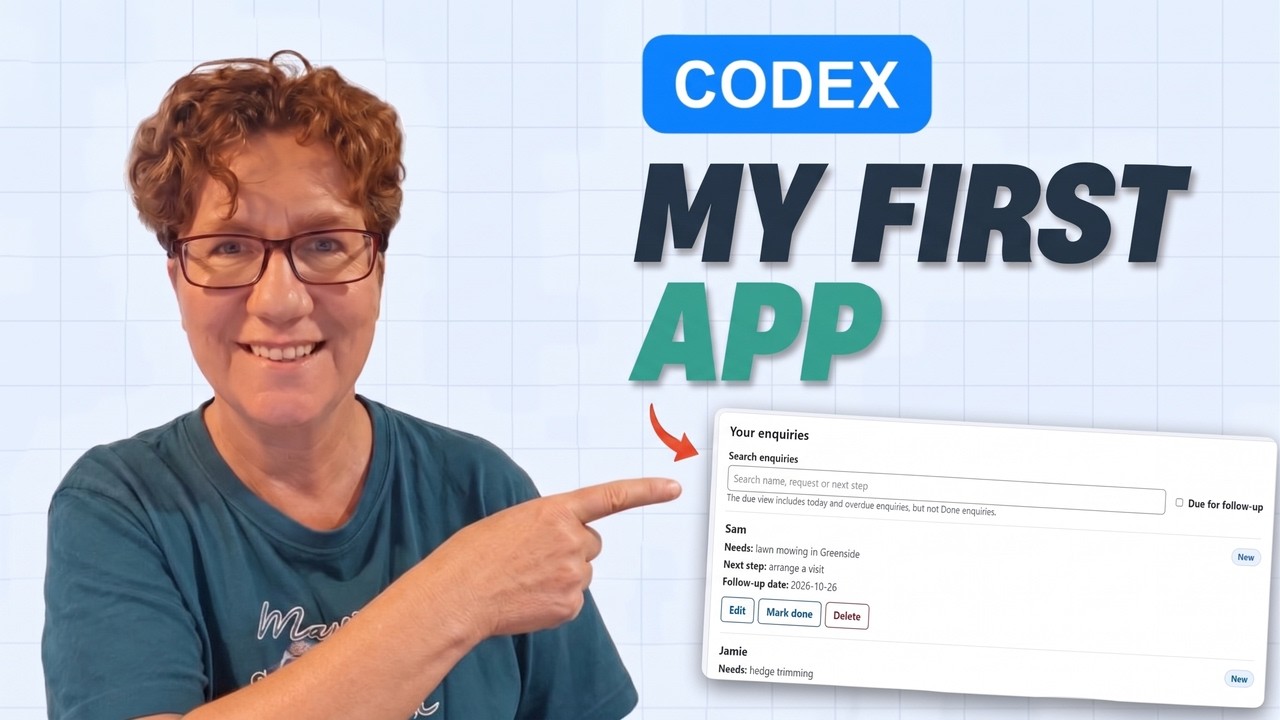
If your website collects enquiries, the next question is a practical one: how do you remember who needs a reply, and when to follow up?
In this tutorial I build a small app with AI to do exactly that. It's an enquiry tracker, a simple mini CRM, for Green Leaf Garden Services, the sample business from my ChatGPT Sites video. I use Codex, an AI coding agent, to write it. You don't need to understand the code, but you do need to check what the app does before you rely on it.
This guide pairs with my full “How to Build an App with AI” video walkthrough.
What you'll build
One HTML file that opens in your browser. It lets you:
- add an enquiry: a name, what the person needs, your next step and a follow-up date
- set a status: New, Quote sent, Follow up or Done
- search the list and show only the enquiries due for follow-up
- download a backup of your entries and restore it later
It doesn't connect to your website. You add each enquiry yourself, which also means it works for enquiries that come in by phone or message.
Step 1: Keep the first version small
Before you open any AI tool, write down five things:
- 1. Who will use it? Just you, on your own computer.
- 2. What problem does it solve? For example: “I forget to follow up on quotes.”
- 3. What do you need to record? Keep it short: name, request, next step, follow-up date and status.
- 4. What must it never do? For example: send anything automatically, or need a login.
- 5. How will you know it works? List three or four checks you'll do yourself.
A small, clear plan gets you a much better first version than “build me a CRM”.
Step 2: Give the agent a folder to work in
Create an empty folder (I called mine my-enquiry-tracker), open it as your project in Codex and start a chat there. That keeps everything the agent makes in one place you can find.
Codex access and usage limits depend on your ChatGPT plan, so check yours before you start: Codex plans and usage.
Step 3: Describe the job in plain English
Tell the agent what the app should help you do, not how to code it. In the video I ask for:
- adding an enquiry, setting a follow-up date and changing the status
- searching the list and seeing what needs a reply
- everything in one HTML file with no extra installations
- an explanation of how saving works, and a backup option
The exact prompt from the video is in the free First App Starter Kit (click “Show example from the video”). The kit also builds a prompt from your own answers.
Step 4: Test it before you trust it
An app can look right while one of its buttons does the wrong thing. After the first version, I check four things with fictional entries:
- Can I find an enquiry using search?
- Can I edit the next step and save it?
- When I mark an enquiry Done, does it leave the “due for follow-up” list?
- If I close the file and open it again in the same browser, are my entries still there?
If something fails, tell the agent exactly what you did, what you expected and what happened instead, and ask it to fix and re-check just that part.
Step 5: Know where your data lives
This is the part most quick tutorials skip. A simple HTML app like this saves your entries in the browser you're using, not inside the app file. (The technical name is localStorage; MDN explains it here.) That has a few consequences:
| If you… | Then… |
|---|---|
| clear your browser data | you could lose your entries |
| open the file in another browser | your entries may not appear |
| move or copy the app file | your entries may not come with it |
| use the same browser profile as someone else | they may be able to see your entries |
That's why the app has a backup button and a restore button (in the video they're called “Download JSON backup” and “Choose a backup to restore”; yours may be worded differently). Download a fresh backup after changes you want to keep, and store it somewhere private: the backup is a readable file, and this version doesn't encrypt it or add a login. Restoring replaces the current list, so back that list up first if you need it.
Before you add real customer details
Practise with fictional enquiries first. Before real names and phone numbers go in, make sure you have a way to protect them that's right for your business (and, in South Africa, that fits the POPI Act).
A later version could connect to Google Sheets, an online Excel workbook or a database. That's possible, but it takes extra setup to control access and check that updates work correctly. Start simple and grow it when you need to.
If you'd like help choosing or setting up tools for your own business, MavenSync can help. I'm a co-founder.
Did you enjoy building it?
At the start of the video I ask you to notice how building feels. If you enjoyed turning an idea into something useful, and wanted to keep improving it, Build could be a lane worth exploring. One experience doesn't decide your lane, but it's worth noticing. The free TrueLane™ assessment helps you explore the role that may suit you as you build an online business.
For now: choose one small problem and see what you can build.
Get the free First App Starter Kit
The First App Starter Kit has the exact prompt from the video, a prompt builder for your own idea, and the testing checklist.
Frequently asked questions
Do I need to know how to code?+
No. You describe the app in plain English and the agent writes the code. You do test it yourself.
Is Codex free?+
It depends on your ChatGPT plan, and limits differ by plan. Check the current plans page before you start.
Can I use this on my phone?+
This version is a file on your computer, opened in your browser. It doesn't sync to other devices.
Does it send reminders or quotes?+
No. Changing the status to Quote sent just updates your record.